
Pick to Light for e-commerce fulfillment: multi-order picking without mix-ups
In e-commerce, Pick to Light uses a light to show the picker which order on the cart, or which slot in the put wall, the item in hand belongs to. Nobody reads pick lists or hunts for locations, so one person picks several orders in a single trip. The result is up to 50% faster picking, up to 90% fewer errors and fewer returns caused by wrong sizes or colours.
At a glance
- Several orders picked in one trip
- In-house pick to light development since 2018
- New staff productive in about 30 minutes
Why online retailers outgrow paper-based picking
A typical online order has only a few lines, but there are hundreds or thousands of them every day. Picking one order at a time sends staff down the same aisles again and again, paper lists slow them down and every wrong size or colour turns into a complaint, a return shipment and an unhappy customer. During Black Friday or Christmas, temporary staff arrive with no time for long training.
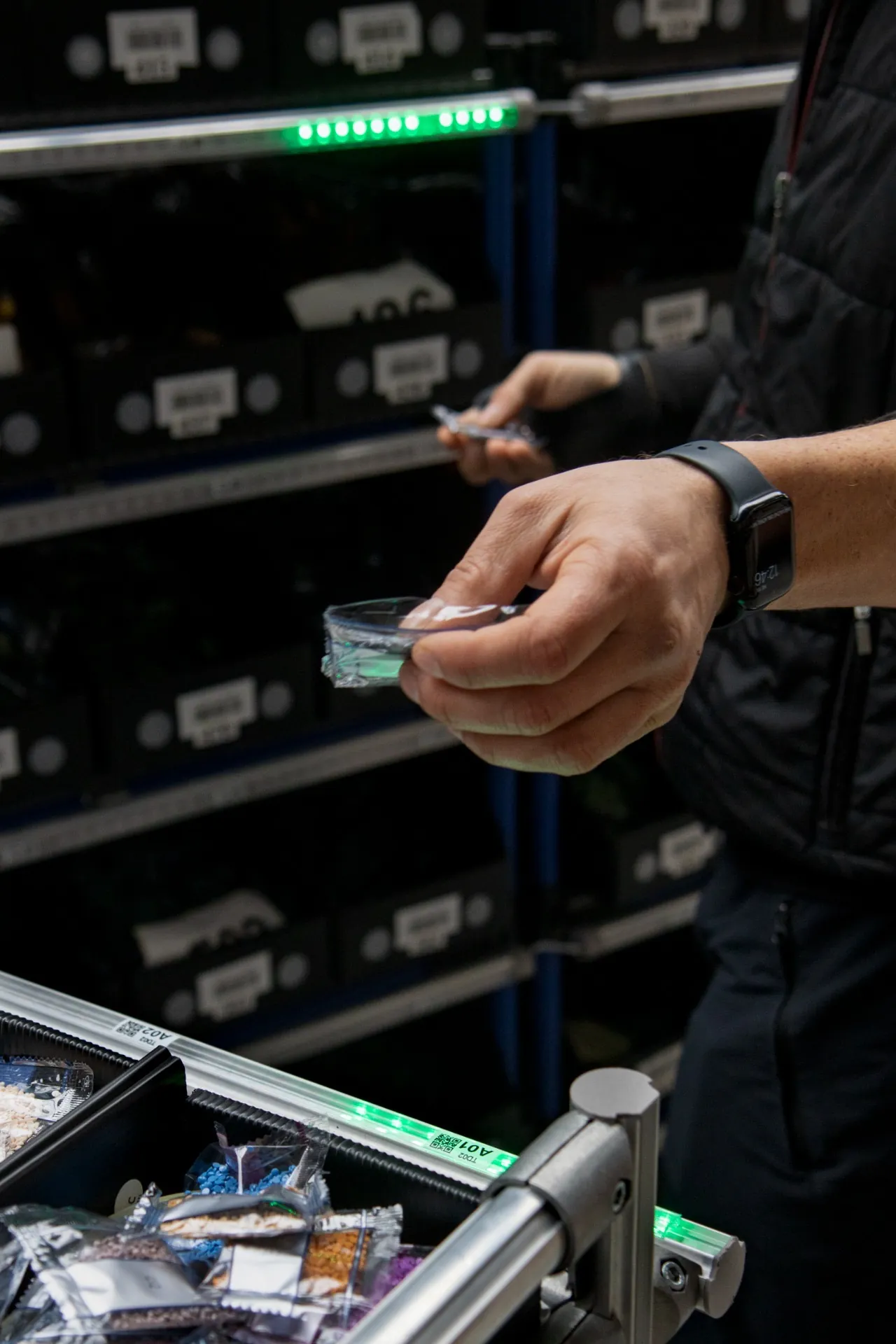
How Pick to Light speeds up e-commerce dispatch
Multi-order picking cart
The cart carries totes for several orders. At each location the light on the cart shows which tote gets the item and how many. It talks to the system over WiFi and its Li-Ion battery lasts a full working day.
Put wall for batch picking
With many small orders, goods are picked in bulk and split at the put wall. After a scan, the right slot lights up, and a completed order signals that it is ready to pack.
Fewer mix-ups, fewer complaints
Every put is confirmed by a button or an optical sensor, so a mistake is caught at the rack rather than by a customer who received someone else's goods.
Ready for seasonal peaks
Temporary staff do not need to know the range; they follow the light. Capacity grows cart by cart or slot by slot as order volumes rise.
How it works
- 1Your shop platform or WMS releases orders and the system groups them into a wave for one cart or put wall.
- 2Totes on the cart are paired with specific orders.
- 3At the rack the picker takes the item and the light on the cart shows the tote and quantity.
- 4The put is confirmed by button or sensor and the confirmation reaches the WMS in real time.
- 5Completed orders go straight to packing, or through the put wall first when picked in batches.
WMS and ERP integration
Orders come from your WMS or ERP via REST API, MQTT or WebSocket, and confirmations flow back in real time. If your shop has no warehouse system, you can use our Logisio WMS, or our CI4 control software provides the required logic. A test environment is available, so the integration is debugged before the first cart goes live.
SoftwareWhat to prepare for an inquiry
- Orders per day in normal operation and at peak
- Average number of lines per order
- Number of SKUs and type of shelving
- Which shop platform, WMS or ERP you use
- Whether you prefer cart picking or batch picking with a put wall
Frequently asked questions
Other applications
All applications- Put-to-light sortationPick in bulk, sort by light: a put wall splits one batch into dozens of orders at once.Read more
- Automotive kittingEvery part into the right kit and in the right order, without leafing through variant lists.Read more
- Assembly guidanceError proofing for manual assembly: light leads the operator to the right part, step by step.Read more
Shall we look at your operation?
Send us your number of locations, orders and shifts – we will propose a setup and a payback estimate.