
Put-to-light order sortation: batch pick first, sort at the wall
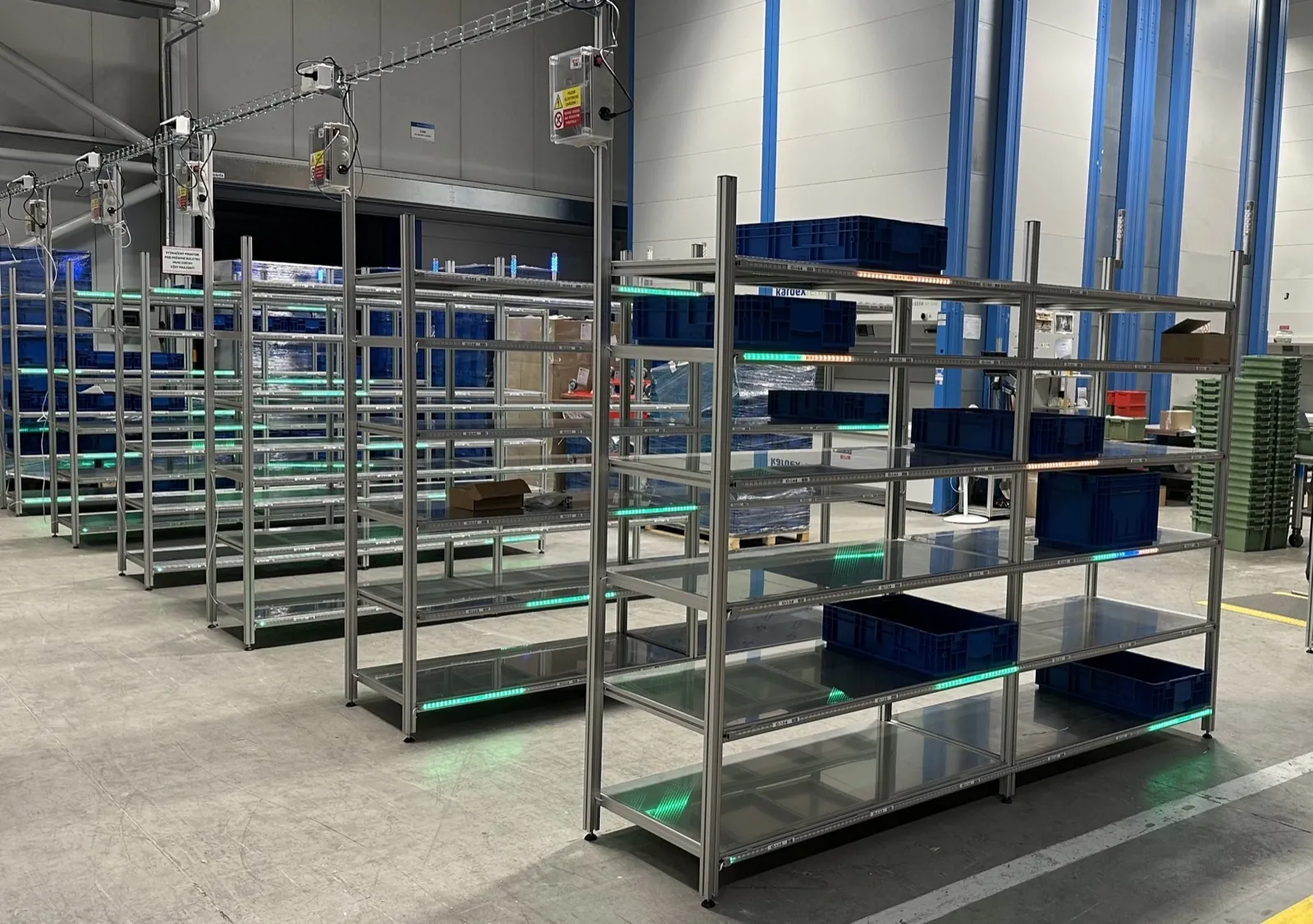
Put-to-light reverses the picking logic: goods for a whole batch of orders are picked together and only split at the put wall. The operator scans an item, the slot it belongs to lights up, and the put is confirmed. Travel shrinks, dozens of orders are sorted in parallel, and a wrong put is caught before the parcel leaves.
At a glance
- Dozens of orders sorted in parallel
- Standard 60, Pro 120 or a custom size
- Put wall hardware and software built in-house since 2018
Where batch picking loses its advantage
Batch picking shortens travel but leaves a pile of goods that still has to be split. Sorting by paper or by screen is slow, demands concentration and is exactly where orders get mixed up. The more orders in a batch, the longer it takes to find the right slot and the higher the chance a customer receives someone else's items.
What a light-guided put wall delivers
Scan, then a lit slot
Nothing to search for or read. After the scan, only the slot the item belongs to lights up, with the quantity where needed.
Sized to your volume
Put walls range from 20 to more than 200 slots. Standard 60 suits mid-sized shops, Pro 120 high-volume operations, or we build a custom size and layout.
Quick changeover for campaigns
Assigning slots to orders, customers or delivery routes is a software setting, so the wall is reconfigured for a promotion or season without any rebuilding.
Completeness check
The system knows what is still missing from each slot and signals a complete order with light so the packer can take it straight away.
How it works
- 1The WMS groups orders into a batch and assigns each one a slot on the wall.
- 2Goods for the whole batch are picked together, for example with a cart in one trip.
- 3At the wall the operator scans an item and the target slot lights up.
- 4The put is confirmed by button or sensor and the remaining quantity is updated.
- 5A complete order lights up on the packing side and goes to packing.
WMS and ERP integration
A put wall needs to know one thing: which item belongs to which order. It gets this from your WMS or ERP via REST API or MQTT and reports every put and every completed order back in real time. Slot assignment can be driven by your own system, by Logisio WMS or by our CI4 software, which also runs locally without internet.
SoftwareWhat to prepare for an inquiry
- How many orders you want to sort per batch
- Typical item and packaging dimensions
- Whether you sort for end customers, stores or routes
- Space available for the wall and packing area
- The system that builds batches today (WMS, ERP)
Frequently asked questions
Other applications
All applications- E-commerce fulfillmentOne trip through the warehouse, several orders on one cart and a light that shows where each item belongs.Read more
- Automotive kittingEvery part into the right kit and in the right order, without leafing through variant lists.Read more
- Assembly guidanceError proofing for manual assembly: light leads the operator to the right part, step by step.Read more
Shall we look at your operation?
Send us your number of locations, orders and shifts – we will propose a setup and a payback estimate.